
How to use the timer
Hold the space bar. The time turns green after about a third of a second. Let go to start, then press any key to stop. On a phone or tablet, hold your finger on the timer, lift it to start, and tap to stop. Esc cancels a run. While the timer runs, everything else on the page fades out, so only the digits are left. ⏱️
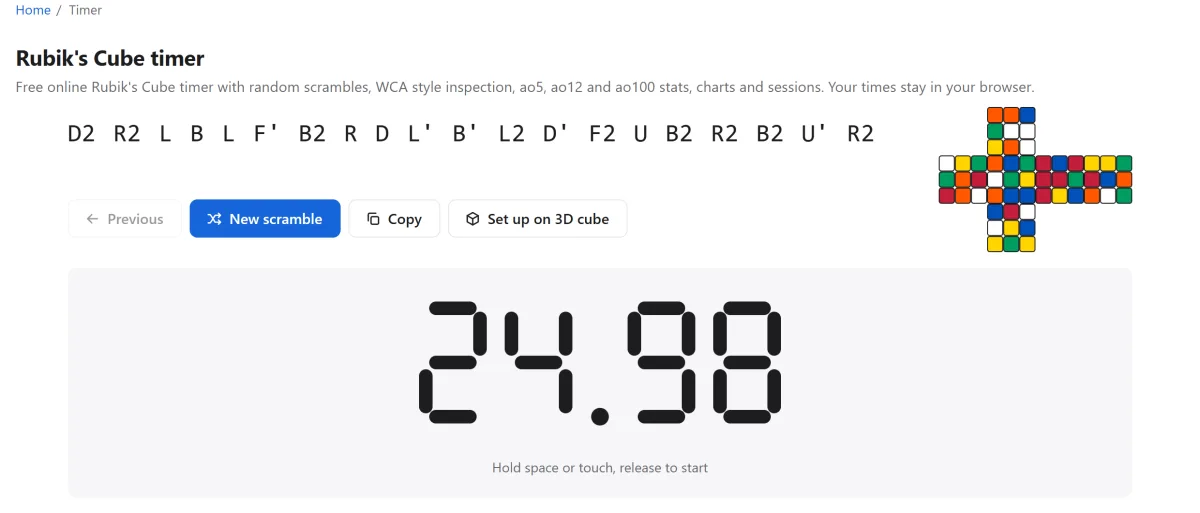
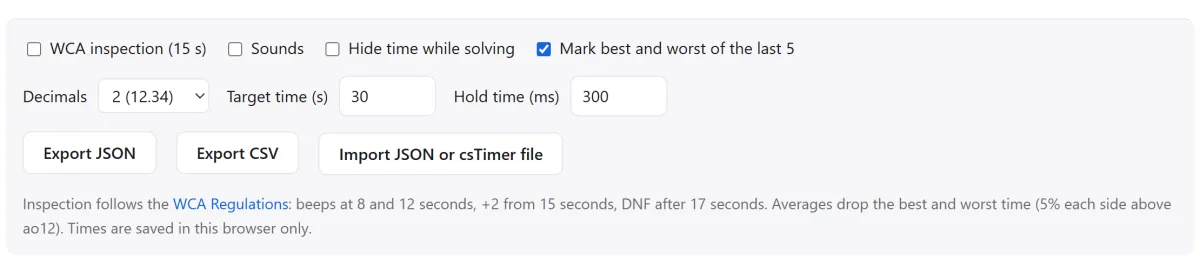
Turn on inspection in the settings and you get the same 15 seconds as at a WCA competition. You may look at the cube but not turn it. A beep sounds at 8 and 12 seconds. Start between 15 and 17 seconds and you get a +2 penalty. Start after 17 seconds and the solve is a DNF, did not finish.
A fresh random-state scramble appears above the timer with a small picture of the scrambled cube. Made a mistake on the last solve? Tap it in the list to set +2 or DNF, add a note, or delete it. Deletes have an Undo button.
What the stats mean
Cubers compare averages, not single times. A single can be lucky. An average of 5 with the best and worst dropped tells you how you really solve. Our timer follows the trimming rules of the WCA, so your ao5 here means the same as on a competition scoreboard.
| Stat | What it is |
|---|---|
| single | One solve. Best single is your fastest ever. |
| mean | The plain average of all solves in the session. Nothing is dropped. |
| ao5 | Last 5 solves: drop the best and the worst, mean of the other 3. |
| ao12 | Last 12 solves: drop the best and the worst, mean of the other 10. |
| ao50 | Last 50 solves: drop the best 5 percent and the worst 5 percent (3 each side), mean of the rest. |
| ao100 | Last 100 solves: drop the best 5 and the worst 5, mean of the other 90. |
| sd | Standard deviation: how far your times spread around the mean. Smaller means more consistent. |
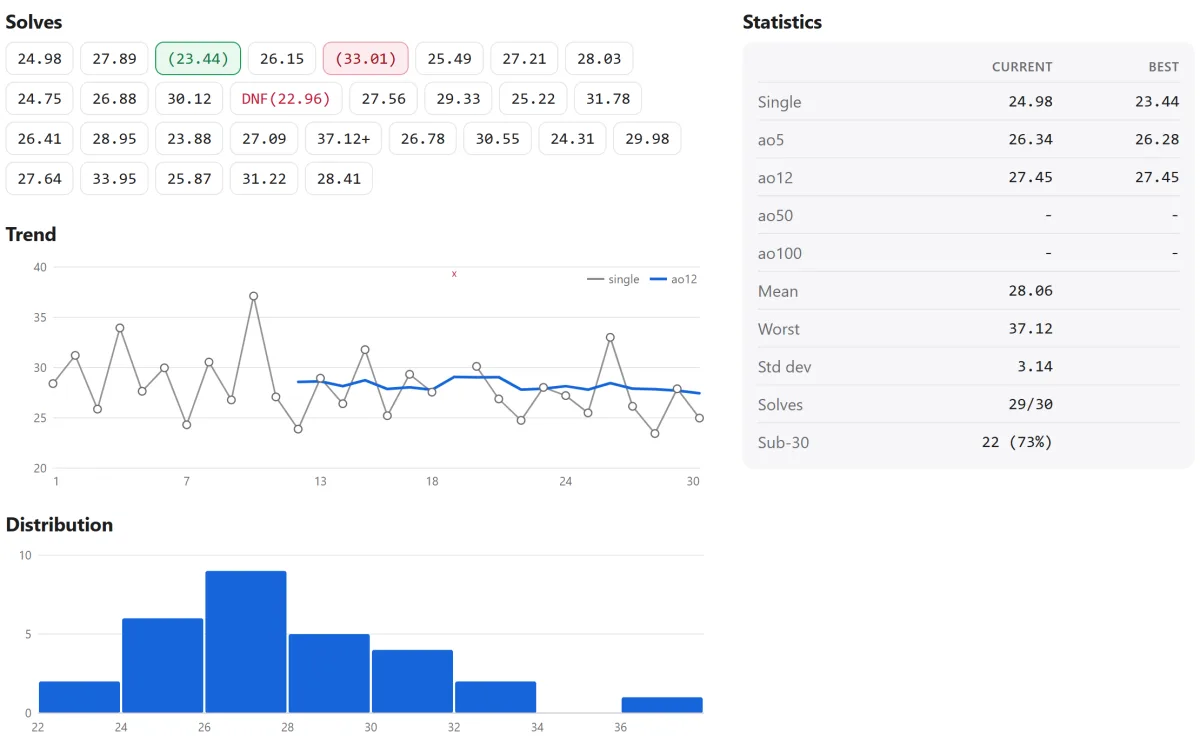
One DNF counts as the worst solve in an average. Two DNFs in an ao5 make the whole average a DNF. The timer also counts solves under a target such as sub-30, and shows a personal best banner when any stat improves.
Average times for different levels
People ask us what a "good" time is. This honest picture is based on our own team and the cubers we meet at competitions. The record comes from the WCA records page, where you can check the current number.
| Level | Typical time |
|---|---|
| Just learned the beginner method | 3 to 5 minutes |
| After about a month of practice | About 1 to 2 minutes |
| Sub-30, a solid hobby level | Under 30 seconds, usually with F2L |
| Sub-15, competition regular | Under 15 seconds, full CFOP |
| Sub-10, fast | Under 10 seconds, top level at national events |
| World record single | 2.51 seconds, Xuanyi Geng, October 2026 |
Do not measure yourself against the record. Measure yourself against your own ao12 from last month. Our team went from about 1:30 with the beginner method to sub-30 in roughly half a year of relaxed practice. 🙂
Tips to get faster
- Learn F2L. You pair a white corner with its edge and put both in with one short move. This is the heart of the CFOP method that almost all fast cubers use.
- Look ahead. While your hands turn, your eyes look for the next piece. Turn slowly for a week and never stop between steps. Your times drop even though you turn slower.
- Learn finger tricks. Flick the top layer with your index finger instead of regripping. This alone saved us several seconds.
- Get a good cube. A modern magnetic cube turns smooth and cuts corners well. It costs about as much as a pizza.
- Learn a few more algorithms. Two-look OLL and PLL from our algorithms page finish the last layer in four short steps instead of seven.
Bringing your times from csTimer
Many cubers have years of solves in csTimer. You do not have to lose them. Open csTimer, press Export, choose "Export to file" and save it. Then press Import in our timer, pick that file, and your sessions show up with scrambles, dates and penalties.
Everything stays in your browser and is never sent to us. That also means clearing your browser data deletes it, so export a backup now and then. CSV export is there too, in case you like spreadsheets.
Now press space, hold until green, and do your first solve. Try the 3D cube if you have no cube at hand, or learn the 7 steps first if this is new to you.
Questions people ask
Why does the timer not start when I press space?
Hold the space bar until the time turns green, then let go. A quick tap does nothing on purpose, just like a competition timer. Click on the timer once first, so the page has keyboard focus.
Where are my times saved?
In your browser, on your device. Nothing goes to a server. Use Export to make a backup file, and Import to load it on another device.
Can I have more than one session?
Yes. Make one for 3x3, one for one-handed, one for your kid. Each has its own stats. You can rename and delete sessions.
What counts as DNF?
Did not finish. In a competition it means the cube was not solved when the timer stopped, or the solve started more than 17 seconds into inspection. Here you set it by hand on any solve.
Does it work with a Stackmat or a smart cube?
Not yet. Stackmat input through the microphone and Bluetooth smart cubes are on our list for later.
Last updated: November 4, 2026